
Running AI models on your own hardware keeps your conversations private, eliminates API costs, and works without an internet connection. In 2026, the open-source models available for local use are genuinely capable — the gap with GPT-4 has narrowed dramatically. Here’s what to run and how to get started.
Why Run AI Locally?
The three main reasons to run AI locally rather than using cloud services:
- Privacy: Your conversations and documents never leave your machine. Cloud AI services, even those with strong privacy policies, process your data on their servers. For sensitive legal, medical, or business content, local AI is the only option with guaranteed confidentiality.
- Cost: After the initial hardware investment, local models have no API costs. Heavy users who would spend $50-200 per month on API calls can eliminate that cost entirely.
- Offline access: Local models work without an internet connection. For travel, restricted networks, or situations where reliability matters, local AI is more dependable.
The Best Tool for Getting Started: Ollama
Ollama is a free application that makes downloading and running open-source AI models as simple as running a command. It works on macOS, Windows, and Linux. Install Ollama, open a terminal, and run:
ollama run llama3That’s it. Ollama downloads the model and starts a chat interface. Switch to a different model with ollama run mistral or ollama run phi4.
Ollama also exposes a local API compatible with the OpenAI API format. This means any application or script that works with OpenAI’s API can be pointed at your local Ollama instance with a URL change.
Best Models to Run Locally in 2026
1. Llama 4 (Meta)

Meta’s Llama 4 family is the most capable open-source model family available for local use in 2026. The Scout variant (17B active parameters, 109B total) uses a mixture-of-experts architecture that makes it more efficient than its parameter count suggests. The Maverick variant is stronger on reasoning tasks.
Llama 4 Scout can handle text, images, and documents. Running it smoothly requires at least 16GB of GPU VRAM (an RTX 4080 or equivalent). The 8B quantized version runs on less powerful hardware including Apple Silicon MacBooks.
2. Mistral Small and Mistral 7B
Mistral’s models punch above their weight class. Mistral 7B runs on systems with 8GB of VRAM and handles general text tasks, coding, and summarization with quality that surprises users expecting much worse from a 7B model.
Mistral Small (22B) is the sweet spot for users with 16-24GB VRAM. It handles longer contexts, produces more nuanced writing, and performs better on complex reasoning tasks than 7B models while still running locally on consumer GPUs.
3. Phi-4 (Microsoft)
Microsoft’s Phi-4 is a 14B parameter model designed specifically for reasoning and coding tasks. It outperforms models many times its size on benchmarks that test step-by-step problem solving. For developers using local AI for code review and explanation, Phi-4 is a strong choice that runs on a single GPU with 12GB VRAM.
4. Qwen 2.5 Coder (Alibaba)
For coding specifically, Qwen 2.5 Coder models (7B and 32B variants) are consistently the top performers in code generation benchmarks among open-source models. The 7B variant runs on hardware with 8GB VRAM and produces better code than models twice its size from other families.
5. Gemma 3 (Google)
Google’s Gemma 3 models (1B, 4B, 12B, 27B) are designed for deployment on consumer hardware. The 4B model runs on systems without dedicated GPUs using CPU inference, making it accessible to users who don’t have a gaming PC or workstation with a powerful GPU.
Desktop Interfaces: LM Studio and Open WebUI
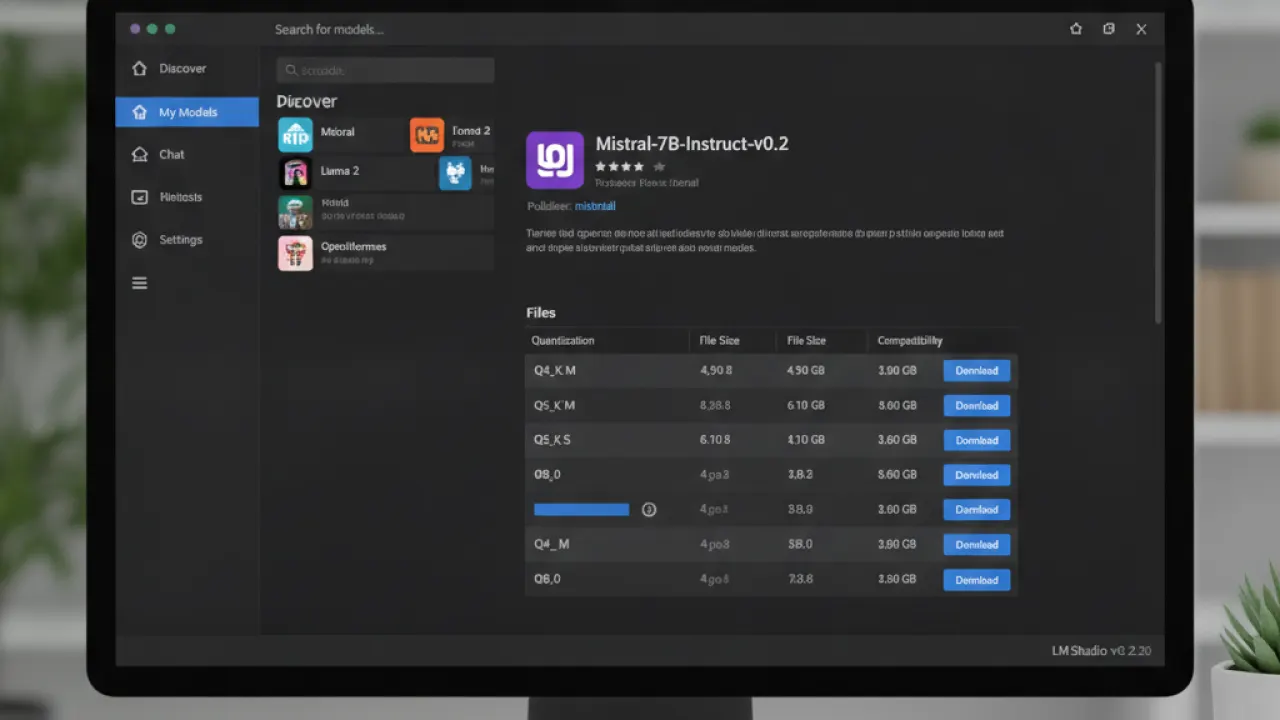
If you prefer a graphical interface over a terminal, two tools make local AI much more accessible:
LM Studio: A clean desktop application for macOS, Windows, and Linux that lets you browse, download, and chat with models through a ChatGPT-like interface. Recommended for users who want the full local AI experience without any command-line work.
Open WebUI: A self-hosted web interface that runs in a browser and connects to Ollama. Useful if you want to access your local AI from other devices on your home network, such as from your phone or tablet while the model runs on your desktop.
Hardware Requirements
GPU VRAM is the main limiting factor for running local AI models comfortably:
- 8GB VRAM (RTX 3070/4060, RX 6700 XT): Runs 7B models comfortably. Mistral 7B, Llama 3 8B, Phi-4 quantized.
- 12GB VRAM (RTX 3080/4070): Runs 13-14B models. Phi-4, Gemma 3 12B.
- 16-24GB VRAM (RTX 4080/4090, RTX 3090): Runs 30B models. Mistral Small, Llama 4 Scout.
- Apple Silicon (M2/M3/M4 with 16GB+ unified memory): Excellent for local AI. Apple’s unified memory architecture shares RAM between CPU and GPU, giving M3 MacBooks with 32GB memory enough headroom for 30B quantized models.
- CPU-only (no GPU): Possible but slow. Gemma 3 1B and 4B models run on CPU. Generation is measured in tokens per second rather than tens of tokens per second.
Privacy: What Local Actually Means
When you run a model locally through Ollama, LM Studio, or Open WebUI, your prompts and the model’s responses never leave your computer. No telemetry, no logging, no training on your data. The model weights are files on your hard drive. The inference happens entirely on your processor.
This is genuinely different from cloud AI services, even privacy-focused ones. There’s no server to be subpoenaed, no data center to be breached, no API terms of service to change.
For the full picture of AI tools including cloud options, our guide to the best AI tools covers the practical tradeoffs. And if you’re interested in best AI coding agent specifically, local models through Ollama or LM Studio can integrate with VS Code extensions for private, offline code assistance.
Are you running AI models locally, and what’s your hardware setup? Leave a comment with your system specs and which model you’ve found most useful. The local AI community is still building best practices and real-world experiences are the most valuable input.

