

The best budget laptops under $500 in 2026 can handle everything most students and remote workers need: web browsing, documents, video calls, light coding, and streaming. The gap between budget and premium has narrowed significantly. Here’s what to buy based on your needs.
What $500 Buys You in 2026
At the $400-500 price point in 2026, you can expect:
- A processor fast enough for everyday tasks (Intel Core i5/i7 or AMD Ryzen 5/7, or Apple M-class on Chromebook)
- 8GB of RAM (minimum for comfortable modern use; 16GB is better if available)
- 256-512GB SSD storage
- 1080p display (some with IPS panels, some without)
- 6-10 hours of real-world battery life
- Backlit keyboard
What you typically don’t get under $500: a high-resolution display (1440p or 4K), discrete GPU, Thunderbolt 4 ports, premium build quality, or biometric login.
Best Windows Laptops Under $500
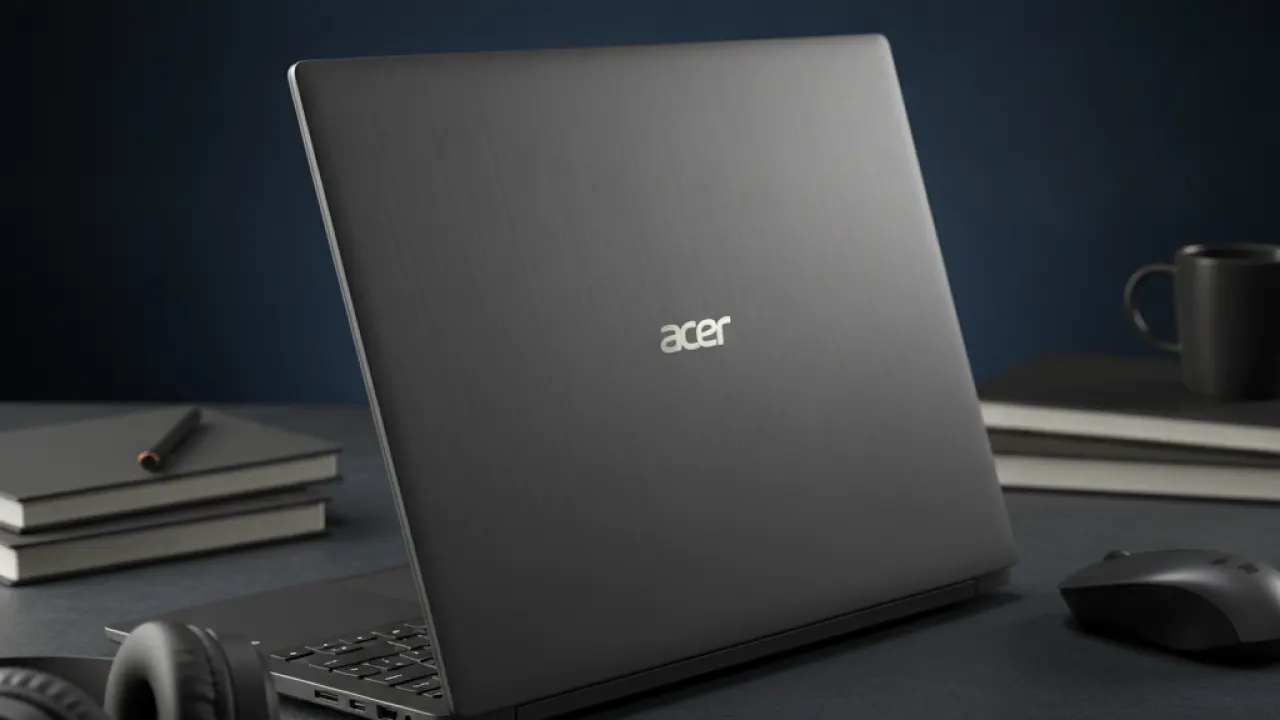
Acer Aspire 5 (around $350-450)
The Acer Aspire 5 has consistently been the recommended budget laptop for several years. The 2026 model ships with AMD Ryzen 5 or Intel Core i5, 8GB RAM, a 512GB SSD, and a 15.6-inch 1080p IPS display. The IPS panel is the key detail at this price — many competing laptops at similar prices use lower-quality TN panels that look washed out from any angle.
Battery life is around 7-8 hours with mixed use. The build quality is plastic throughout but feels solid. The keyboard has enough travel to be comfortable for extended typing sessions, which matters if you’re writing essays or working in documents all day.

Lenovo IdeaPad Slim 3 or 5 (around $380-480)
Lenovo’s IdeaPad line is consistently reliable in this price range. The keyboard is one of the better budget laptop keyboards available, with a satisfying key travel that makes typing less fatiguing over long sessions. The trackpad is accurate and doesn’t register accidental presses when your palms rest on it while typing.
The Slim 5 model is worth the extra money if available. It gets a slightly better display, better processor options, and additional ports.
HP Pavilion 15 (around $400-480)
HP’s Pavilion series offers good build quality for the price with a more premium-feeling chassis than the Aspire or IdeaPad. The trade-off is that it sometimes ships with lower-spec configurations to hit the price point. Always check that you’re getting an SSD, not an HDD, and 8GB RAM minimum.
Chromebooks Worth Considering

If your primary tasks are web browsing, Google Docs, email, video calls, and streaming, a Chromebook is worth serious consideration at this price point.
What Chromebooks do well:
- Longer battery life than comparable Windows laptops (often 10-12 hours)
- Faster startup times
- Better security by design (sandboxed apps, automatic updates)
- Lighter weight at comparable prices
- Lower price for the same build quality
What Chromebooks don’t do:
- Run Windows software. No Adobe Creative Suite, no Microsoft Office desktop apps (though Google Docs handles most Office tasks), no specialist software.
- Run games beyond Android and cloud gaming.
- Work well offline for extended periods (some apps have offline modes, but it’s designed for connected use).
The Lenovo IdeaPad Flex 5 Chromebook (around $350-400) has a touchscreen, a 360-degree hinge for tablet mode, and consistently excellent battery life. It’s the top recommendation in the budget Chromebook category for students.
Display Quality: The Most Important Factor to Check
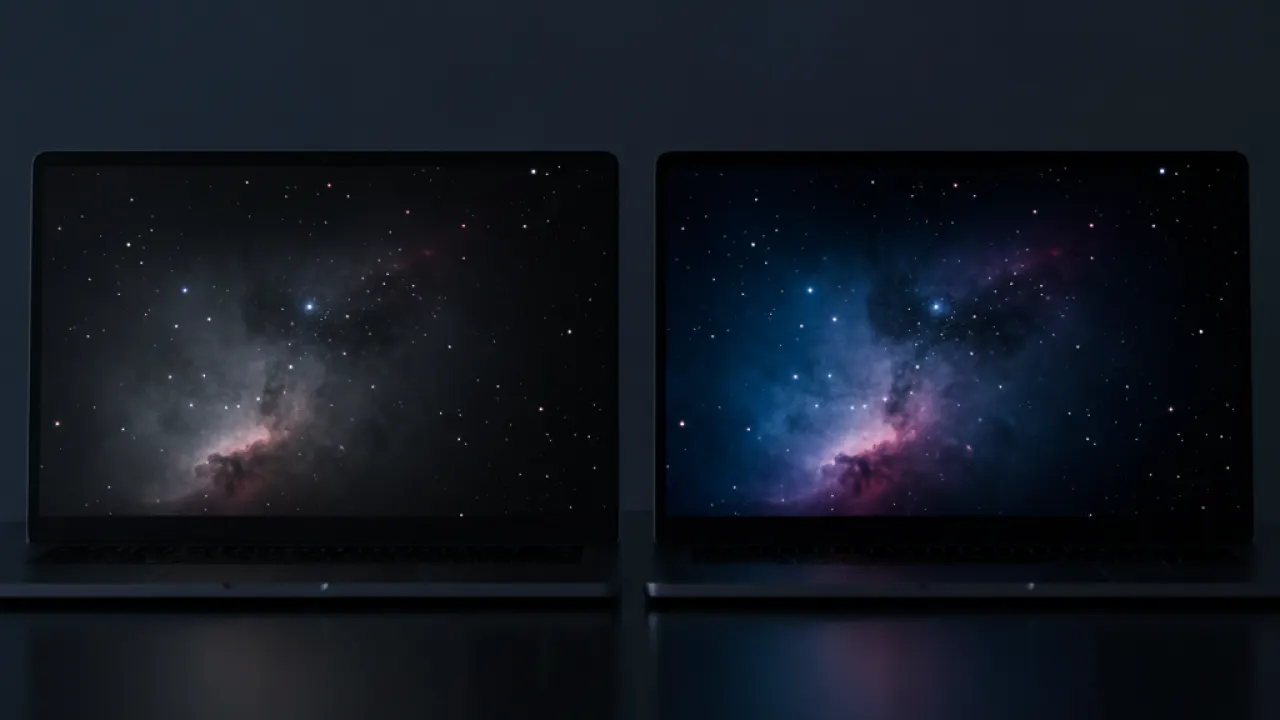
Budget laptops cut costs in ways that are hard to see in spec sheets. The most common cut is display quality. The specs might say “1080p display” but there’s a big difference between a 1080p IPS panel (good viewing angles, accurate colors, comfortable brightness) and a 1080p TN panel (poor viewing angles, washed-out colors, only looks good from directly in front).
When checking specs, look for:
- IPS or IPS-level panel (not TN)
- At least 250 nits brightness (300 or more is better for use near windows)
- Anti-glare coating
The Aspire 5, IdeaPad Slim 5, and Lenovo Chromebook Flex 5 all use IPS panels. Many cheaper models from lesser-known brands use TN panels that make extended use uncomfortable.
Should You Buy Refurbished?
At the $400-500 budget, certified refurbished laptops are worth considering. A refurbished ThinkPad T490 or Dell Latitude from a certified reseller often provides better build quality, keyboard, display, and port selection than a new budget laptop at the same price.
Look for “certified refurbished” from the manufacturer or a certified partner. These come with a warranty (usually 90 days to one year), have been tested, and show no cosmetic damage. The risk is that you get a slightly older model without the latest CPU generation, which usually doesn’t matter for office tasks.
What to Avoid Under $500
- Any laptop with an HDD: Traditional hard drives are dramatically slower than SSDs. A laptop with an HDD feels like a 10-year-old computer. If you see “HDD” or “5400 RPM” in the specs, skip it.
- 4GB RAM in 2026: 8GB is the minimum for comfortable Windows 11 use. 4GB will struggle with more than a few browser tabs open.
- Unknown brand laptops: Sub-$250 laptops from brands without a track record often have poor build quality, driver support problems, and no warranty service.
For the best mobile devices to pair with a budget laptop for a complete work-from-anywhere setup, our best smartphones guide has options at every price point. And if you’re setting up a home office beyond just the laptop, our speed up Windows 11 tips apply to making your Windows installation run faster on any hardware.
Which laptop are you using right now, and what would you change about it? Leave a comment with your model and the one thing that frustrates you most. Budget laptop users tend to be the most honest about trade-offs.

