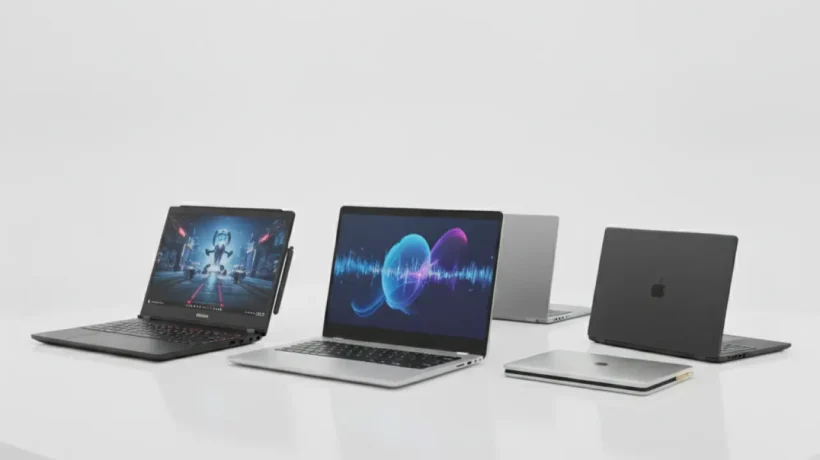

Finding the best laptops to buy in 2027 means cutting through a lot of marketing noise. Specs matter, but the wrong specs for your use case still mean a bad purchase. This guide covers every budget category honestly, from $400 budget picks to $2,000 premium machines, and tells you exactly who each one is for.
We’ve organized this by what you actually do, not just by price, because a $700 laptop for a programmer is a completely different machine from a $700 laptop for a student or video editor.
What to Look for When Buying a Laptop in 2027
Before picking a specific model, narrow down what you actually need. These are the specs that matter most and what the numbers mean in practice:
Processor: The Most Important Decision
The CPU determines how fast everything runs. In 2027, the main options are:
- Intel Core Ultra 200 series — Strong performance for everyday tasks and light creative work. Good battery life on efficient cores.
- AMD Ryzen 9000 series — Excellent value and performance, especially for the price. Often beats Intel in multitasking.
- Apple M4 and M4 Pro — The most power-efficient laptop chips available. MacBooks with M4 offer performance that competes with chips using twice the power.
- Qualcomm Snapdragon X Elite — Strong battery life and built-in AI features. Performance is competitive, though app compatibility is still catching up.
For most users, any of these chips in a mid-range configuration will handle everyday tasks without issues. Only content creators and developers need to think hard about the CPU choice.
RAM: Don’t Go Below 16GB in 2027
8GB of RAM was acceptable a few years ago. In 2027, with modern browsers and apps, 8GB causes slowdowns and constant disk swapping. Get at least 16GB. If you do any video editing, programming, or run multiple apps simultaneously, 32GB is worth it.
Storage: SSD Speed Matters
Get at least 512GB of SSD storage. 256GB fills up quickly. Look for NVMe SSDs rather than SATA for better speed. The brand of SSD matters less than whether it’s NVMe.
Display: What You’ll Actually Notice
IPS panels at 1080p are the minimum for comfortable daily use. OLED displays offer better colors and contrast but cost more and can have screen burn-in over years. For most users, a bright IPS panel at 1440p is the sweet spot. If you do color-critical design or photo work, OLED or a professionally calibrated display matters more.
Best Budget Laptops Under $600 in 2027
Budget laptops in 2027 are genuinely good. The gap between $500 and $1,000 is smaller than it’s ever been. You do give up some build quality, battery life, and display brightness, but the core performance for everyday tasks is solid.
Acer Aspire 5 (2027 Edition)
The Acer Aspire 5 remains one of the best budget laptops you can buy. The 2027 model ships with AMD Ryzen 7 7000 series, 16GB of RAM, and a 512GB NVMe SSD at around $499. The 15.6-inch IPS display is decent, with 1080p resolution and good viewing angles for the price.
What makes it stand out at this price: the RAM is upgradeable, the SSD is replaceable, and the build quality is better than most budget competitors. It’s not flashy, but it works well and lasts.
Battery life is around 7 to 8 hours with light use, which is reasonable. Not the best, but enough for a full day of classes or office work.
Lenovo IdeaPad Flex 5
If you want a 2-in-1 laptop on a budget, the Lenovo IdeaPad Flex 5 is the pick. It converts between laptop and tablet mode, includes a touchscreen, and comes with AMD Ryzen 5 or 7 at around $549. The touchscreen is genuinely useful for note-taking and casual drawing.
The build is plastic but feels solid. Battery life is around 9 to 10 hours, which is one of the better numbers in this price range. Good choice for students who want flexibility without spending on a premium convertible.
HP Chromebook Plus
If you mostly work in a browser, use Google Docs and Sheets, and don’t need Windows software, the HP Chromebook Plus at around $399 is an excellent pick. ChromeOS is fast, secure, and gets 8 years of software updates. The hardware punches above its price.
Not for everyone, but for people whose entire workflow is web-based, it’s one of the best value laptops available.
Best Mid-Range Laptops Between $700 and $1,200 in 2027
This is where the best value in the laptop market lives. In the $700 to $1,200 range, you get solid build quality, better displays, longer battery life, and more powerful processors without paying a premium for brand names.
ASUS Zenbook 14 OLED
The ASUS Zenbook 14 OLED is the best all-around laptop in the mid-range for most people. At around $799, you get an AMD Ryzen 7 processor, 16GB of RAM, 512GB SSD, and an OLED display that makes every other display in this price range look washed out.
The OLED screen is the standout feature. Colors are vivid, blacks are true black, and the contrast is stunning. If you spend a lot of time looking at your screen, this matters. Battery life is around 10 to 12 hours on the OLED panel, which is excellent.
The build is aluminum and feels premium. It weighs about 1.4kg, which is light enough to carry all day without noticing it.
Dell XPS 13
The Dell XPS 13 at around $999 is one of the most refined laptops available. The design is compact, the build quality is excellent, and the display options (1200p IPS or 2880×1800 OLED) are among the best in the market. Intel Core Ultra 7 processor, 16GB RAM, and 512GB SSD in the base configuration.
What justifies the price: the build quality is genuinely premium, the display is excellent, and Dell’s support is reliable. It’s a laptop that will last 5 to 6 years without feeling outdated.
Lenovo ThinkPad X1 Carbon (for professionals)
If durability and keyboard quality matter to you, the ThinkPad X1 Carbon is in a category of its own. It’s built to MIL-SPEC durability standards, the keyboard is widely considered the best on any laptop, and the build quality is exceptional.
Starting around $1,100 on sale, it’s not cheap, but professionals who type all day consistently prefer it over prettier alternatives. Business features like a fingerprint reader, IR camera, and excellent privacy shutter are built in.
Best Premium Laptops Over $1,200 in 2027
At over $1,200, you’re paying for the best display, the best processor, the best build quality, or some combination of all three. The laptops in this range should last you 5 to 7 years without feeling slow.
Apple MacBook Air M4
The MacBook Air M4 at $1,099 to $1,299 is the best laptop most people can buy in 2027, full stop. The M4 chip is faster than most Intel and AMD laptops that cost twice as much. Battery life regularly hits 15 to 18 hours in real use. The 13-inch and 15-inch models both have excellent displays.
There’s no fan, which means it’s completely silent under normal workloads. It handles everything from writing and browsing to light video editing and coding without breaking a sweat.
The catch: it’s only worth it if you’re in or willing to enter the Apple ecosystem. If you rely on Windows-specific software or games, a MacBook isn’t the right tool.
Apple MacBook Pro M4 Pro (for creators and developers)
If you do video editing, 3D rendering, software development, or any other CPU and GPU-intensive work, the MacBook Pro M4 Pro starts at $1,999 and earns every dollar. The performance is genuinely extraordinary, battery life is 15 to 20 hours, and the Liquid Retina XDR display is one of the best screens on any laptop.
This is the laptop serious content creators buy and keep for 5 years.
Razer Blade 16 (for gamers)
The Razer Blade 16 at around $2,499 is the best Windows gaming laptop if you need serious GPU performance in a relatively thin package. It ships with an NVIDIA RTX 4090 laptop GPU, the latest Intel processor, and a 240Hz OLED display. It’s heavy at 2.1kg and battery life is around 5 to 6 hours, but for gaming performance and build quality, it’s unmatched on Windows.
How to Buy a Laptop Without Overpaying
A few buying strategies that save real money:
- Buy last year’s model — Laptops from 12 months ago are 20 to 30% cheaper and perform almost identically for most tasks. The performance gap between one CPU generation and the next is small.
- Check refurbished options — Certified refurbished laptops from manufacturers like Apple, Dell, and Lenovo come with the same warranty as new units at 15 to 25% lower prices.
- Wait for sales — Black Friday, back-to-school season (July to August), and Amazon Prime Day consistently offer 15 to 25% discounts on laptops.
- Buy from brands with good support — When something goes wrong (and it will eventually), you want a company that answers the phone and honors its warranty. Apple, Dell, and Lenovo are consistently rated highest for support.
- Don’t pay for features you don’t use — Touchscreens, high-refresh-rate displays, and dedicated GPUs add cost. Only pay for them if you actually need them.
The best laptops to buy in 2027 cover every use case and budget. Whether you’re spending $400 or $2,000, there’s a machine here that will do what you need without wasting money on the wrong features.
For in-depth reviews, comparisons, and the latest deals on laptops and other tech, visit TechDeft and bookmark us for updates as new models release.
Which laptop on this list are you considering, and what’s the main task you need it for? Tell us in the comments and we’ll give you our honest recommendation.
For comparing laptop specs and prices across retailers, notebookcheck.net provides detailed benchmarks on nearly every current laptop model.